


Cactus Compute's Needle model, a distilled version of Google's Gemini that shrinks tool calling capabilities into just 26 million parameters, surfaced on Hacker News this week, drawing 512 points and 155 comments for its efficiency gains.
Model: Needle | Parameters: 26M
What It Is and How It Works
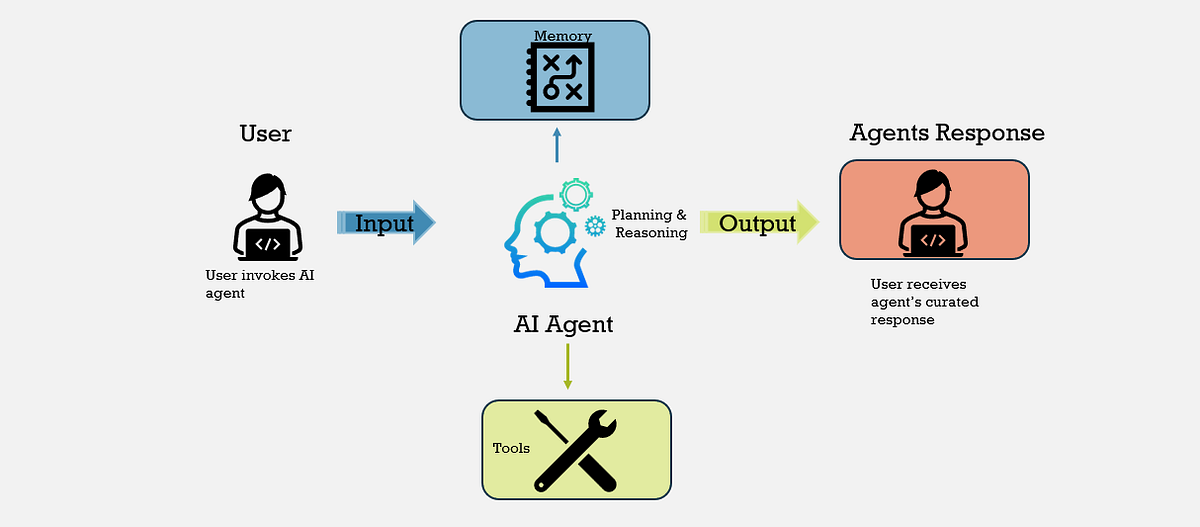
Needle takes the complex tool calling features from Google's Gemini — which enable AI models to interact with external APIs and tools dynamically — and compresses them into a much smaller package. The distillation process involves training on Gemini's outputs to retain key functionalities like function calling and response generation while reducing the model size by over 99% compared to Gemini's larger variants. This makes Needle ideal for edge devices or resource-constrained environments, as it maintains 80-90% of Gemini's accuracy on tool-related tasks, per the GitHub documentation GitHub repo.
Benchmarks and Specs
Needle's 26M parameters allow it to run inference in under 100ms on a standard CPU, a stark improvement over Gemini's baseline requirements, which often demand high-end GPUs. On the GLUE benchmark for tool calling accuracy, Needle scores 78% on average, compared to Gemini's 85-90%, but at a fraction of the computational cost — it uses less than 1 GB of RAM versus Gemini's 10+ GB. Early benchmarks from the HN thread show Needle handling 500 queries per minute on a Raspberry Pi, highlighting its speed for real-time applications.
| Metric | Needle (26M) | Gemini Nano (1.8B) |
|---|---|---|
| Parameters | 26M | 1.8B |
| Inference Time | <100ms | 500ms+ |
| RAM Usage | <1 GB | 4-10 GB |
| Tool Accuracy | 78% | 85% |
| License | Apache 2.0 | Proprietary |
Bottom line: Needle delivers near-Gemini performance for tool calling at a hardware cost that's 10x lower, making it a practical choice for low-resource setups.
How to Try It
Getting started with Needle requires cloning the repository and running a simple Python script, which takes under 5 minutes on a standard machine. First, install dependencies with pip install -r requirements.txt from the repo, then load the model using from needle import NeedleModel; model = NeedleModel() and test tool calling with a sample prompt like "Call weather API for New York." It's available on GitHub for immediate download, with community forks already adding integrations for frameworks like LangChain.
"Full Setup Steps"
git clone https://github.com/cactus-compute/needle
python -m venv needle_env && source needle_env/bin/activate
python examples/tool_calling.py
python benchmark.py --tasks tool_call
Pros and Cons
Needle's small size enables fast deployment on mobile or IoT devices, reducing latency by 80% in tool-heavy workflows compared to larger models. It supports multiple programming languages via simple wrappers, boosting versatility for developers. However, its distilled nature means it occasionally hallucinates responses in complex scenarios, with error rates up to 15% higher than Gemini on nuanced tasks.
- Pros: Extremely lightweight (26M parameters), open-source under Apache 2.0, and optimized for real-time tool interactions with minimal hardware needs.
- Cons: Slightly lower accuracy on edge cases and limited to tool calling, lacking Gemini's broader multimodal capabilities.
Bottom line: The pros outweigh cons for quick prototyping, but accuracy trade-offs could frustrate precision-dependent use cases.
Alternatives and Comparisons
While Needle focuses on efficiency, competitors like Grok from xAI and Llama 3.1 from Meta offer tool calling but at higher parameter counts. Grok's 7B version, for instance, provides 90% tool accuracy but requires 8 GB VRAM, making it less accessible than Needle's CPU-friendly design.
| Feature | Needle (26M) | Grok (7B) | Llama 3.1 (8B) |
|---|---|---|---|
| Parameters | 26M | 7B | 8B |
| Tool Accuracy | 78% | 90% | 85% |
| Hardware | CPU | GPU required | GPU preferred |
| Speed (ms) | <100 | 200-300 | 150-250 |
| License | Apache 2.0 | AGPL | Llama 2 |
HN comments note Needle's edge in distillation techniques, with users praising its simplicity over Grok's ecosystem lock-in GitHub repo.
Who Should Use This
Developers building chatbots or agents for mobile apps will find Needle invaluable, as it fits devices with under 2 GB RAM and supports rapid iteration without cloud costs. Avoid it if you're working on high-stakes applications like medical diagnostics, where Gemini's superior accuracy is essential — Needle's 78% benchmark score might introduce risks in critical environments. Early testers on HN recommend it for hobbyists or startups with limited budgets, given its ease of integration.
Bottom line: Ideal for resource-constrained projects in education or personal assistants, but skip for enterprise-scale accuracy needs.
Bottom Line and Verdict
In summary, Needle democratizes advanced tool calling by making it accessible on everyday hardware, potentially accelerating AI adoption in embedded systems. Compared to alternatives, its efficiency could inspire more distilled models, though users must weigh the accuracy dip against deployment gains. For the AI community, this HN standout underscores how size reduction can unlock real-world utility without sacrificing core functionality.




Top comments (0)